

There are often times when you remove an Instant Clone pool from VMware Horizon, you will be left with orphaned VM’s in vCenter. This could be down to a multitude of reasons however they still require to be removed.
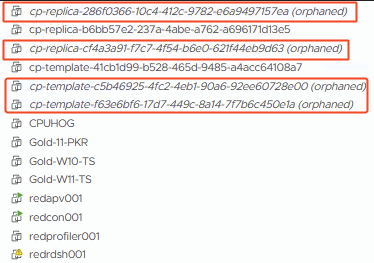
Perform the following steps to cleanup the orphaned VM’s:
- Connect to your main Horizon Connection Server via RDP or console
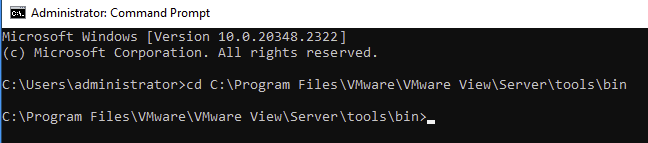
- Launch a command prompt window as administrator
- Navigate to the following path
C:\Program Files\VMware\VMware View\Server\tools\bin
- Run the following command, replacing <your-fqdn-vcsa> with the FQDN of your vCenter server. If you don’t use administrator@vsphere.local as your vCenter admin account, then replace that accordingly. You will then be prompted for your vCenter password. The Instant Clone Cleanup Tool will then launch.
iccleanup.cmd -vc -uid administrator@vsphere.local -skipCertVeri
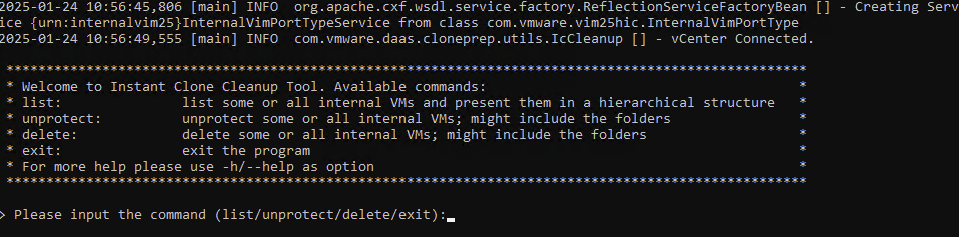
- Enter the command ‘list‘ and press return
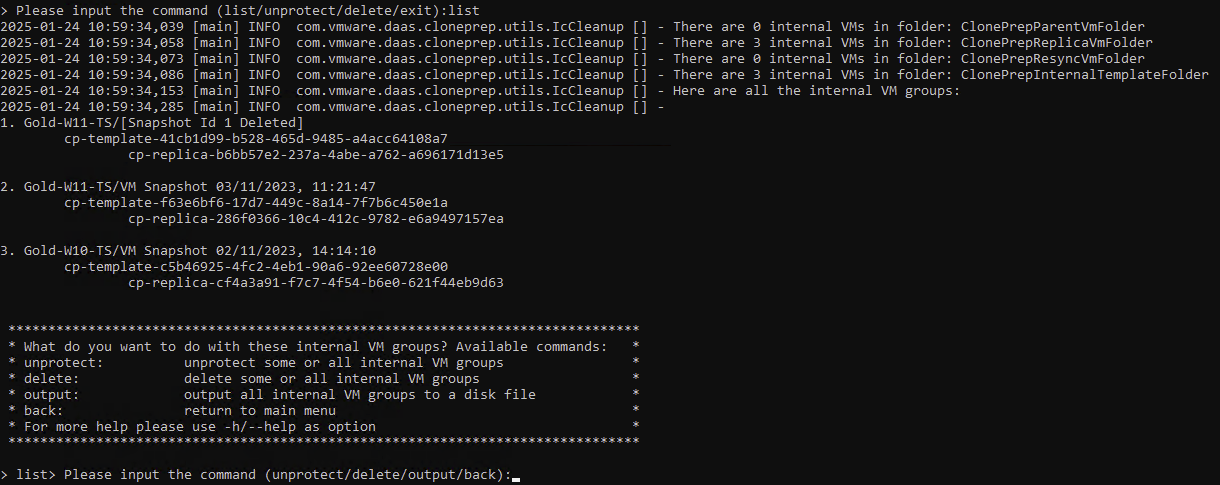
- As you can see from my first screen shot, I have the following orphaned VM’s:
- cp-template-f63e6bf6-17d7-449c-8a14-7f7b6c450e1a
- cp-replica-286f0366-10c4-412c-9782-e6a9497157ea
- cp-template-c5b46925-4fc2-4eb1-90a6-92ee60728e00
- cp-replica-cf4a3a91-f7c7-4f54-b6e0-621f44eb9d63
These match up with the VM’s listed in the above screen shot, under index 2 and 3.
- Run the command ‘delete -I 2’

- Run the command ‘back’
- Run the command ‘list’
- I repeated the ‘delete’ command again ensuring I reference the correct index number. In my case it was ‘delete -I 2’ again.
- Run the command ‘back’
- Run the command ‘list’ and I was left with the following
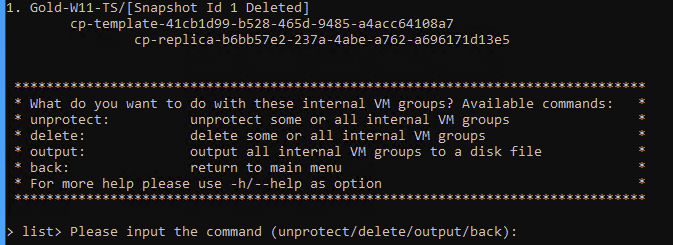
- As you can see, no more orphaned VM’s
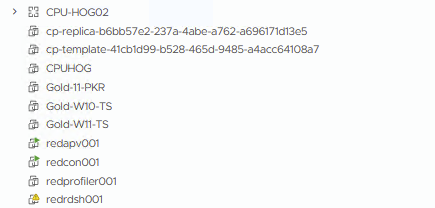
Orphaned VMs can look scary at first, but with the right approach they’re usually straightforward to deal with. By carefully identifying what’s safe to remove and cleaning things up properly in vCenter, you can avoid lingering clutter and future headaches. Hopefully this walkthrough helps if you ever find yourself in the same situation and need a safe way to get things back under control.